
|
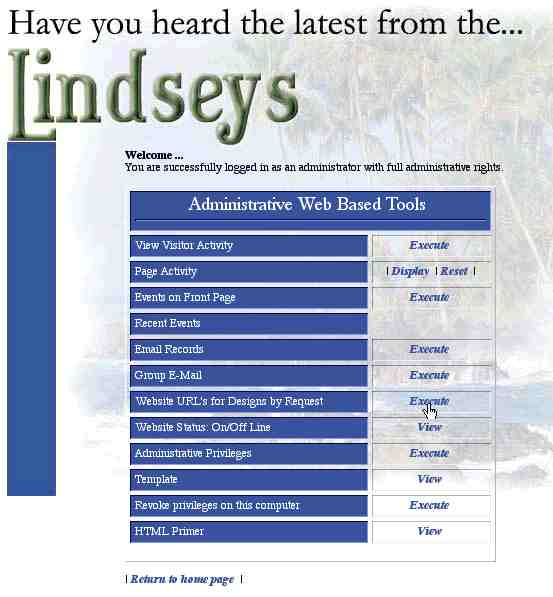
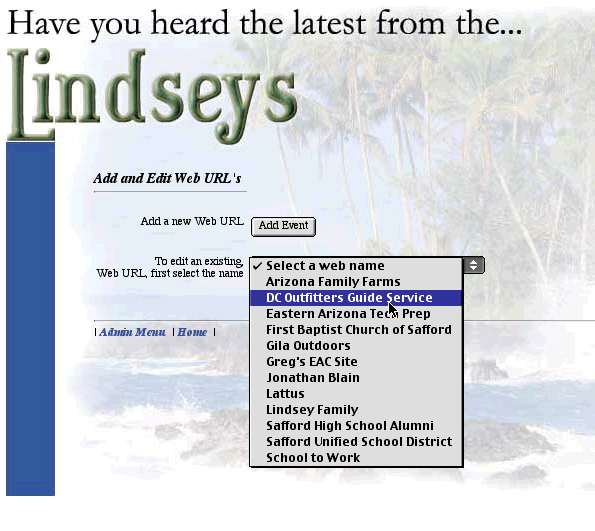
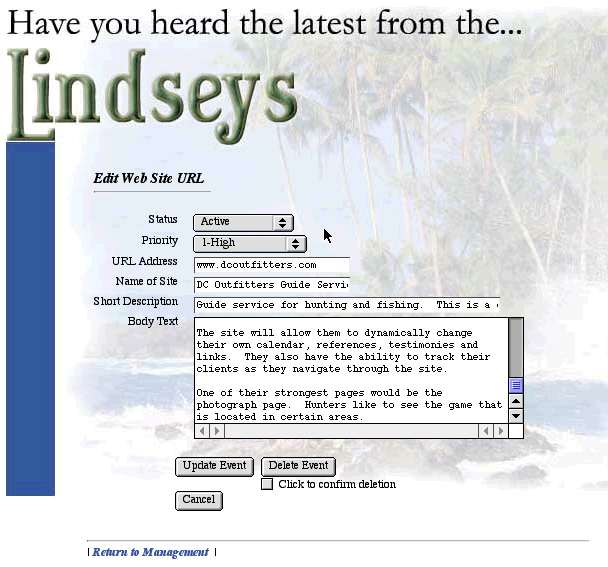
Screen shots to show how the internet tools can create information dynamically... Of course, this is only a demo. To actually see and play with an actual dynamic site, click here and play with the movie screen demo. |
First... Select Website URL's for Designs by Request.
Second... Select the site you wish to edit.
Third... Enter the information and click Update Event.
Fourth... Click here to see it dynamically appear on the next page.